
Discover the Gantry Framework: Comprehensive Tutorial and Integration Guide
The Gantry Framework is a powerful tool designed for web developers and designers, enabling them to create highly customizable and modular themes for various content management systems (CMS). This comprehensive guide will delve into the core features of the Gantry Framework, its installation process, theme development, and integration with popular CMS platforms. By understanding the capabilities of Gantry, users can enhance their web development projects, streamline their workflow, and create visually appealing websites. This article will cover the essential aspects of the Gantry Framework, including its modular theme development, installation steps for Joomla, WordPress, and Grav, and best practices for theme customization and integration.
What is the Gantry Framework and its core features?
The Gantry Framework is a versatile theme framework that allows developers to build responsive and customizable websites efficiently. It operates on a modular architecture, enabling users to create layouts and themes that can be easily adjusted to meet specific design requirements. The framework’s core features include a drag-and-drop layout manager, a particle system for modular content blocks, and extensive customization options that cater to various CMS platforms.
How does Gantry enable modular theme and layout development?
Gantry’s modular design empowers developers to create themes that are not only visually appealing but also functional. By utilizing a drag-and-drop layout manager, users can easily arrange content blocks, adjust their properties, and create unique layouts without extensive coding knowledge. This flexibility allows for rapid prototyping and iteration, making it an ideal choice for both novice and experienced developers.
Which CMS platforms are supported by Gantry Framework?
The Gantry Framework supports several popular CMS platforms, including Joomla, WordPress, and Grav. This cross-platform compatibility ensures that developers can leverage Gantry’s powerful features regardless of their preferred content management system. Each platform benefits from tailored integration, allowing users to take full advantage of Gantry’s capabilities while maintaining the unique functionalities of their chosen CMS.
How to install and set up the Gantry Framework?
Installing the Gantry Framework is a straightforward process that varies slightly depending on the CMS being used. This section will provide step-by-step installation guides for Joomla, WordPress, and Grav, ensuring that users can get started quickly and efficiently.
What are the step-by-step installation guides for Joomla, WordPress, and Grav?
- Joomla Installation:Download the Gantry Framework package from the official website.Log in to your Joomla admin panel and navigate to Extensions > Manage > Install.Upload the downloaded package and click “Install.”Once installed, navigate to Extensions > Templates > Styles to configure your new Gantry template.
- WordPress Installation:Download the Gantry Framework plugin from the official website.Log in to your WordPress admin panel and go to Plugins > Add New.Upload the downloaded plugin and activate it.Navigate to Appearance > Themes to select and customize your Gantry theme.
- Grav Installation:Download the Gantry Framework package from the official website.Extract the package and upload it to the user/themes directory of your Grav installation.Log in to your Grav admin panel and navigate to the Themes section to activate your new Gantry theme.
How to download and update the Gantry Framework safely?
To ensure a smooth experience with the Gantry Framework, it is essential to download and update the framework safely. Always download the latest version from the official website to avoid compatibility issues. When updating, follow the same installation steps as above, ensuring that you back up your existing themes and configurations to prevent data loss.
How to develop and customize themes using Gantry?
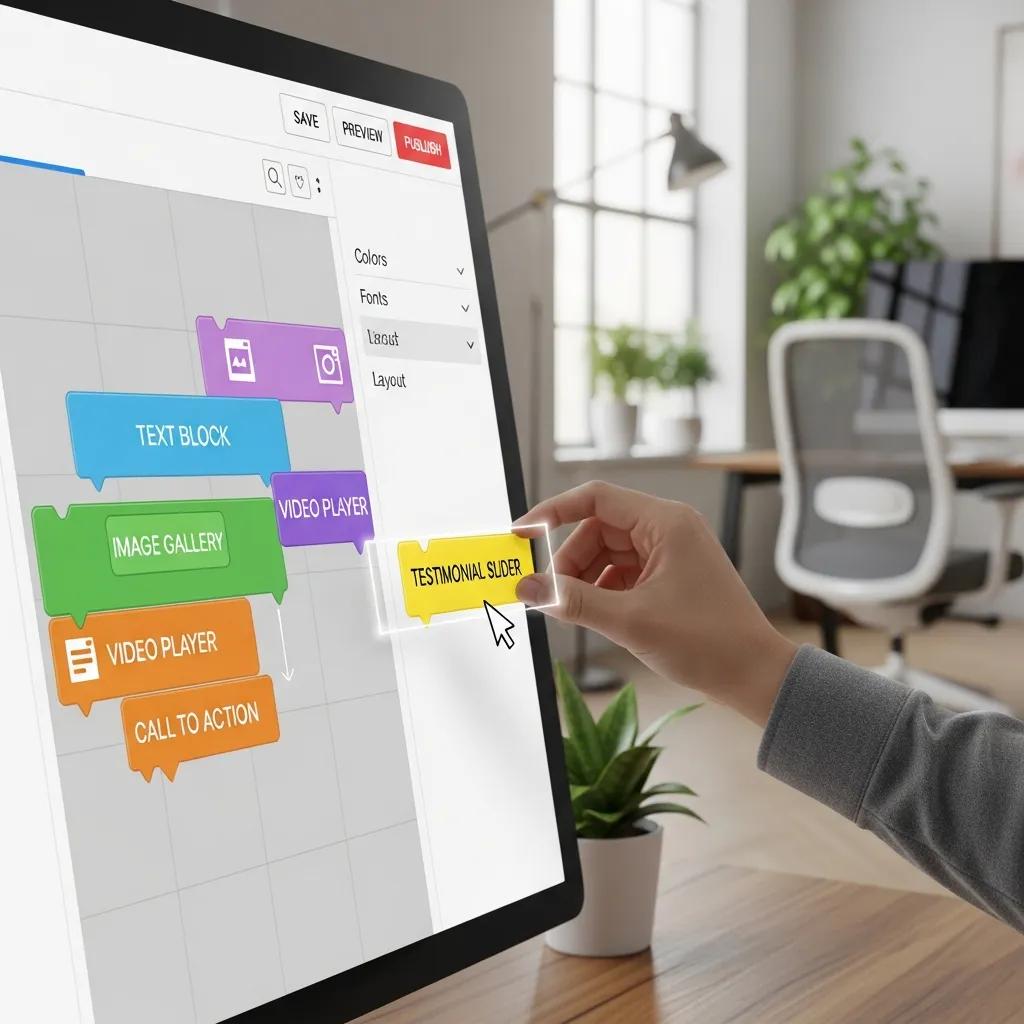
Developing and customizing themes with the Gantry Framework is a seamless process, thanks to its intuitive interface and powerful features. This section will explore the particle system and provide tips for creating drag-and-drop layouts effectively.
What is the Gantry particle system and how to use it?
The Gantry particle system is a key feature that allows users to create modular content blocks, known as particles. Each particle serves a specific function, such as displaying images, text, or forms, and can be easily customized to fit the overall design of the website. By utilizing the particle system, developers can create dynamic and engaging layouts that enhance user experience.
How to create drag-and-drop layouts and customize themes effectively?
Creating drag-and-drop layouts with Gantry is simple and efficient. Users can access the layout manager to arrange particles visually, adjusting their size and position as needed. This user-friendly approach eliminates the need for extensive coding, allowing developers to focus on design and functionality. Additionally, Gantry offers extensive customization options, enabling users to modify styles, colors, and typography to create a unique look for their website.
How to integrate Gantry Framework with popular CMS platforms?

Integrating the Gantry Framework with various CMS platforms is essential for maximizing its potential. This section will discuss best practices for integration with Joomla, WordPress, and Grav, ensuring a smooth experience for developers.
What are the best practices for Gantry integration with Joomla?
When integrating Gantry with Joomla, it is crucial to follow best practices to ensure optimal performance. This includes:
- Keeping the Gantry Framework and Joomla core updated to the latest versions.
- Utilizing Joomla’s built-in caching features to improve site speed.
- Regularly backing up your site to prevent data loss during updates.
How to implement Gantry themes in WordPress and Grav?
For WordPress and Grav users, implementing Gantry themes involves similar best practices:
- Ensure that all plugins and themes are compatible with the latest version of Gantry.
- Use child themes for customizations to prevent losing changes during updates.
- Regularly check for updates and apply them to maintain security and functionality.
Where to find Gantry Framework documentation and community resources?
Accessing the right documentation and community resources is vital for maximizing the use of the Gantry Framework. This section will outline where to find official tutorials, changelogs, and community support channels.
How to access official Gantry tutorials, changelogs, and downloads?
Official Gantry tutorials and changelogs can be found on the Gantry website. These resources provide valuable insights into the framework’s features, installation processes, and updates. Users can also download the latest versions of the framework and themes directly from the site.
What community support channels and forums are available for Gantry users?
The Gantry community offers various support channels, including forums, social media groups, and dedicated Discord servers. Engaging with the community allows users to share experiences, ask questions, and receive assistance from fellow developers and enthusiasts. This collaborative environment fosters learning and growth, making it easier to navigate challenges and discover new techniques.